השמש לפי השעוןThe sun keeps your time
בוקר רך, צהריים לבנים, שקיעה ארוכה, ולילה שבו רק הירח מאיר.Soft mornings, white noons, a long golden hour, and nights lit only by the moon.
 Lagoon
טפט חי למק · חינםA living Mac wallpaper · Free
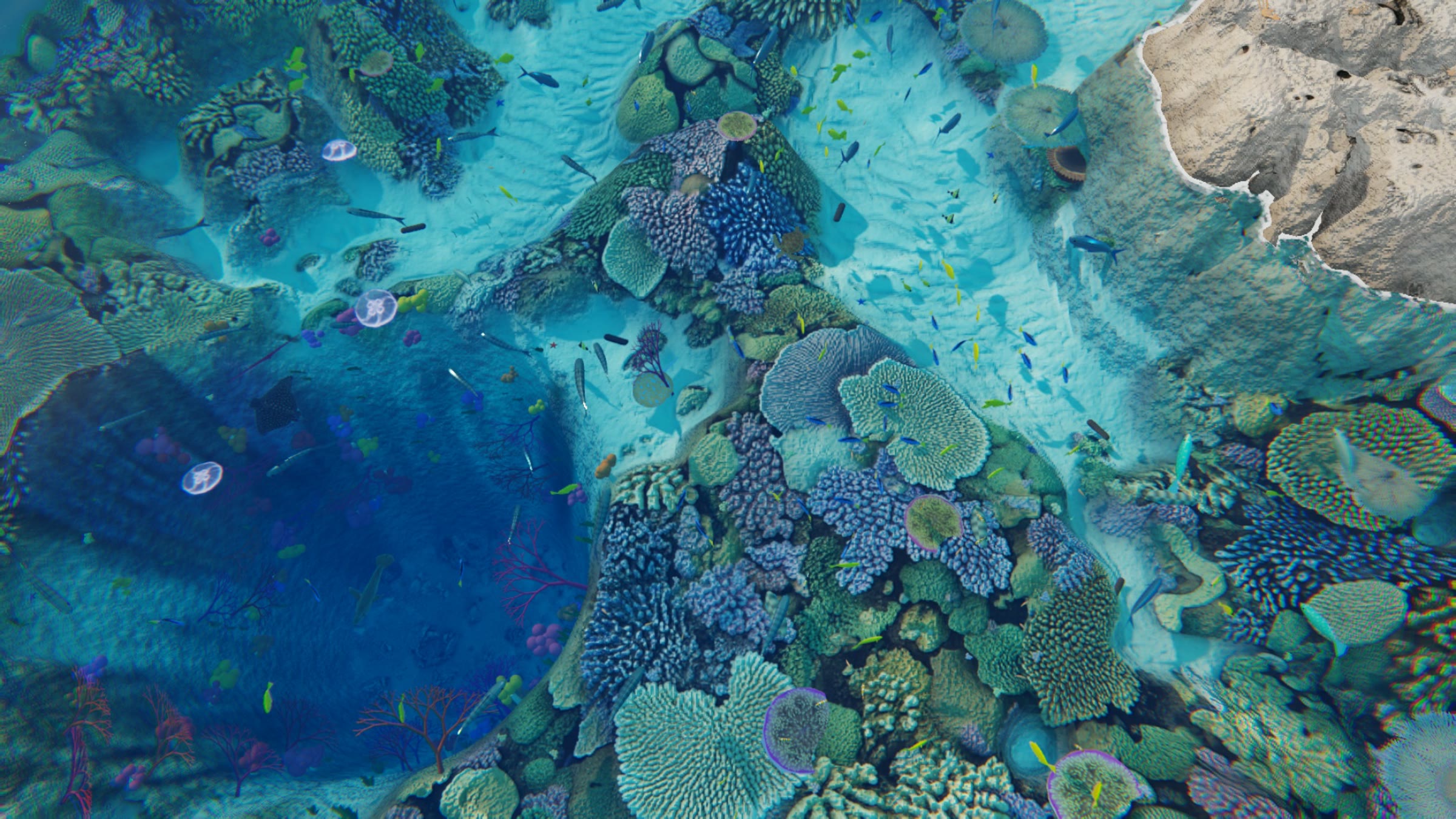
לגונה טרופית שחיה על שולחן העבודה שלך. רוב הזמן היא פשוט שם, ולפעמים היא מפתיעה. A tropical lagoon that lives on your desktop. Most of the time it's just there. Sometimes it surprises you.
למק עם macOS 13 ומעלה · מעבד אפל או אינטל · 13MBmacOS 13+ · Apple Silicon and Intel · 13 MB
זה לא סרטון בלופ. זה עולם שרץ בזמן אמת מתחת לאייקונים שלך, ואף פעם לא חוזר על עצמו. It isn't a looping video. It's a world running in real time under your icons, and it never repeats.
בוקר רך, צהריים לבנים, שקיעה ארוכה, ולילה שבו רק הירח מאיר.Soft mornings, white noons, a long golden hour, and nights lit only by the moon.
תזיזו לאט והדגים באים לבדוק. מהר, והם נבהלים קצת. דאבל קליק על המים מאכיל אותם.Move slowly and the fish come to look. Fast, and they startle a little. Double-click the water to feed them.
חלונות מכסים את המסך? הלגונה עוצרת. על סוללה היא עוברת להילוך איטי, ובמצב חיסכון בסוללה היא ישנה.Windows covering the screen? It stops. On battery it slows down, and in Low Power Mode it sleeps.
ומתי אפשר לפגוש אותם. בלי לו״ז ובלי התראות. נספר רק זמן שהלגונה על המסך, אז זה בעיקר עניין של מזל.And when you might meet them. No schedule, no notifications. Only time on screen counts, so it's mostly luck.
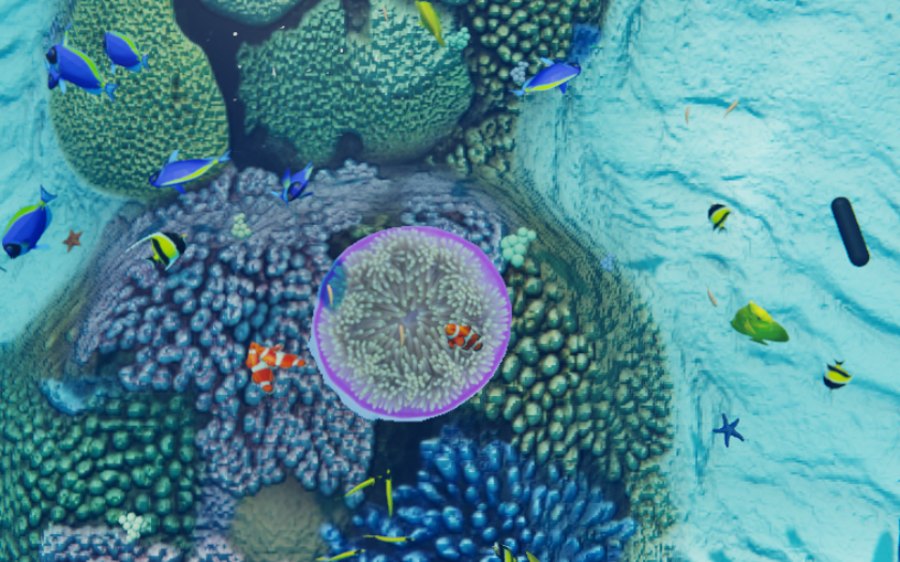
תמיד שםAlways there
ביניהם נמו בשושנת הים שבמרכז, דורי ולהקות של טנג צהוב, וגם צבי ים, מנטות, כרישי שונית ומדוזות.Including Nemo in the anemone in the middle, Dory and yellow tangs, plus sea turtles, mantas, reef sharks and moon jellies.
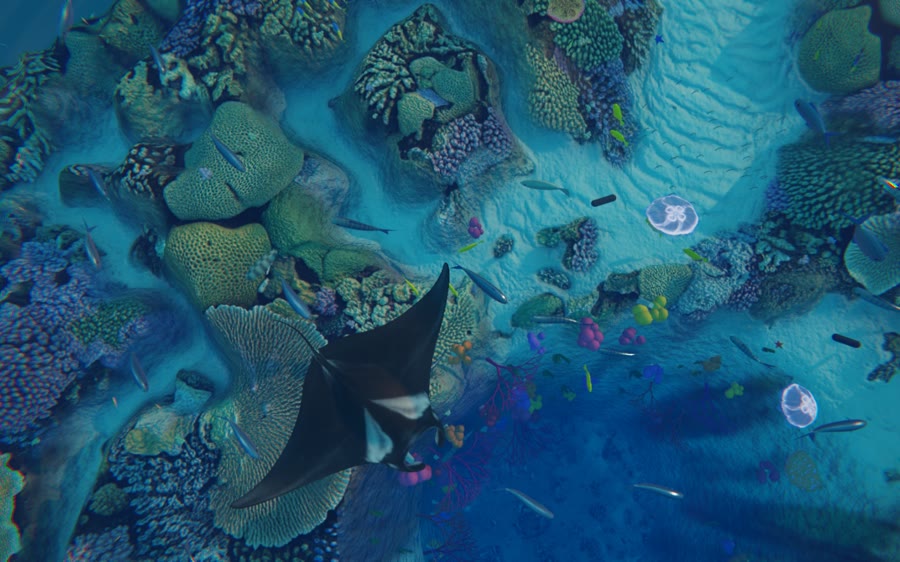
כל כמה דקותEvery few minutes
מנטה שחולפת קרוב, צב שעולה לנשום, להקת טונה שחוצה, וכריש שיוצא לצוד (בעיקר בשקיעה).A manta gliding close, a turtle rising to breathe, a school of tuna crossing, a shark on the hunt (mostly at dusk).
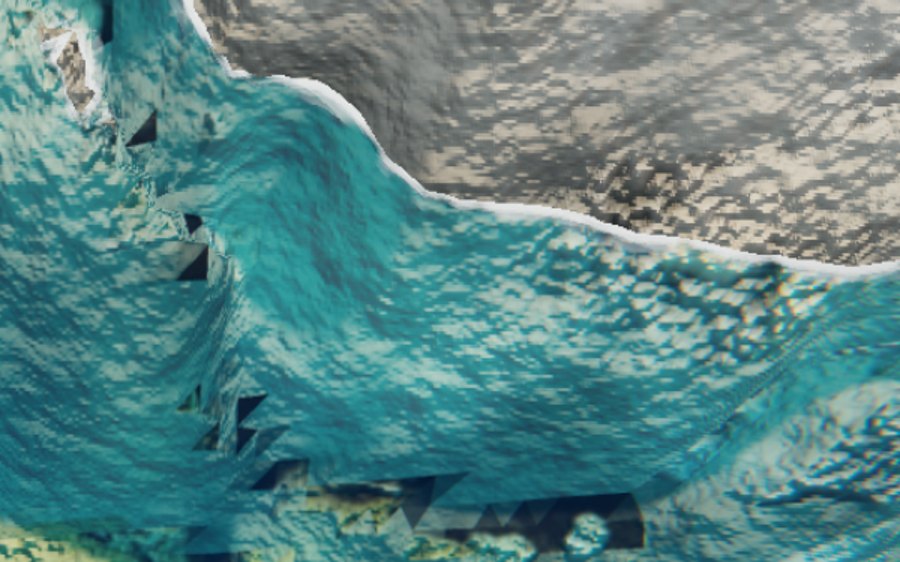
מתחבאיםIn hiding
תמנון שיוצא מהנקיק, מחליף צבע, בא לבדוק את העכבר ומשפריץ דיו אם מבהילים אותו. טריגון קבור בחול, סרטנים קטנים, ובלילה לובסטר.An octopus that leaves its crevice, changes colour, comes to check the cursor and inks if startled. A stingray buried in the sand, little crabs, and at night a lobster.
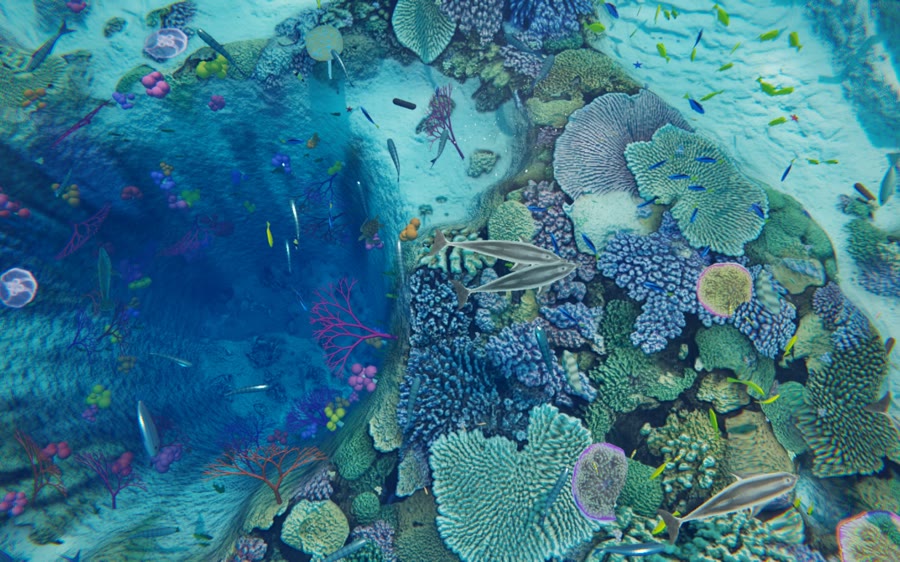
פעם ב-25 עד 60 דקותOnce every 25 to 60 minutes
חמישה, משחקים, קופצים לנשום ורודפים זה אחרי זה.Five of them, playing, leaping up to breathe, chasing each other.
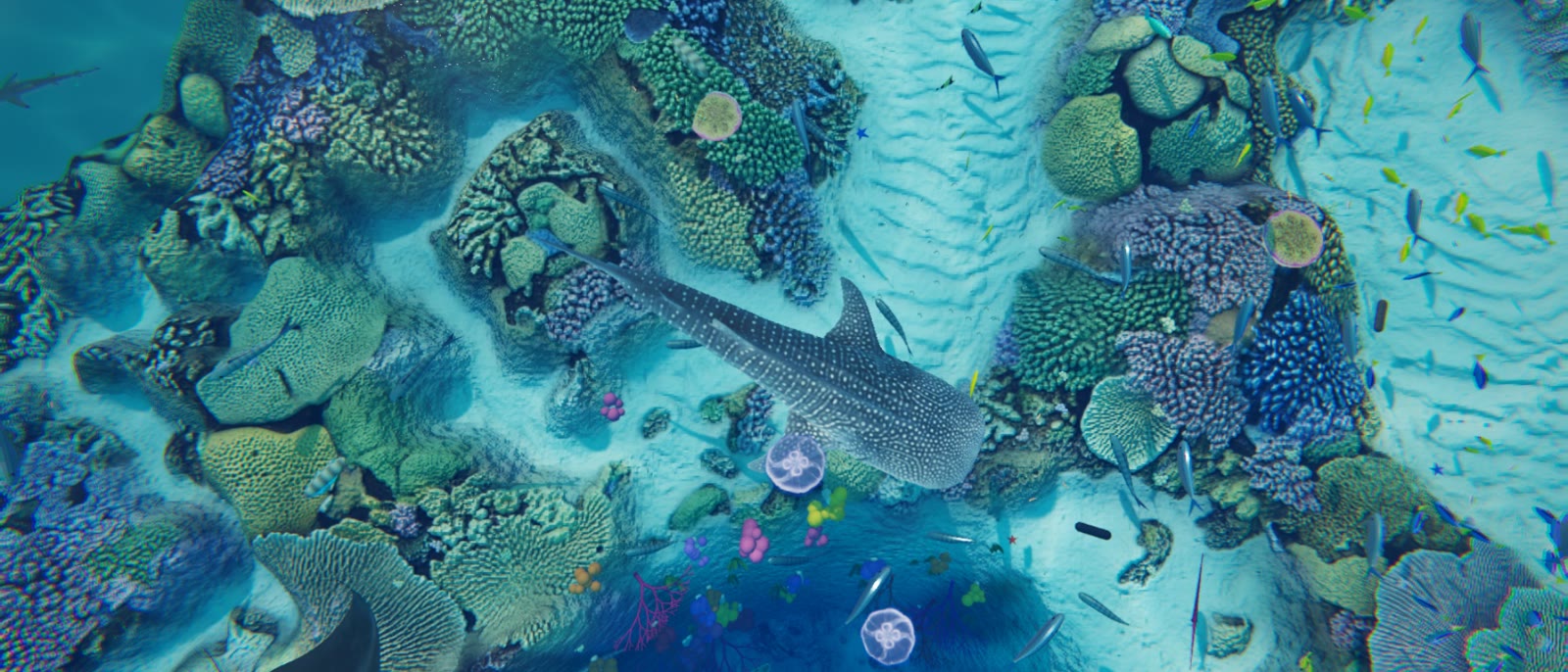
פעם ב-12 עד 45 דקות, אף פעם לא באותו קצבOnce every 12 to 45 minutes, never on a rhythm
שבעה וחצי מטר, לאט, לאורך המים העמוקים. אם ראיתם אותו, זה היה שווה את הבהייה.Seven and a half metres, slow, along the deep water. If you saw it, the staring paid off.
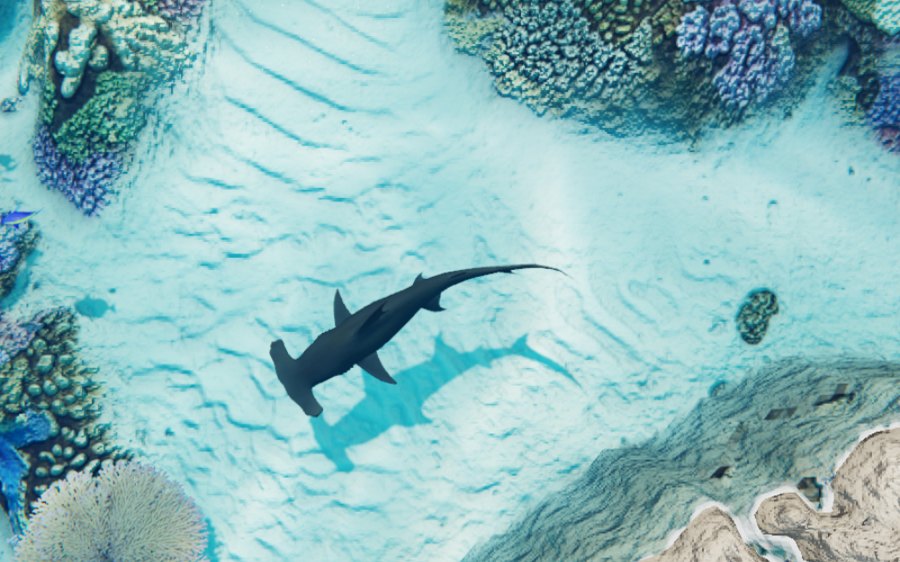
פעם ב-20 עד 50 דקותOnce every 20 to 50 minutes
עובר נמוך מעל החול, כמו שהם צדים טריגונים. הלהקות נפתחות לו.Passes low over the sand, the way they hunt rays. The schools part for it.
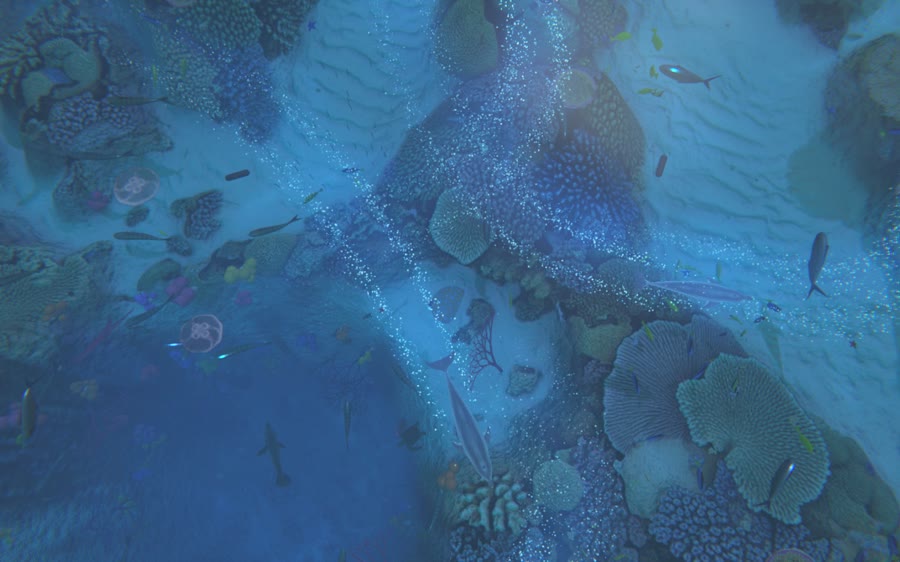
רק בלילהOnly at night
פלנקטון שנדלק בכחול כשמנטה או דולפינים עוברים, כוכב נופל בהשתקפות, ולפעמים השרצת אלמוגים ורודה.Plankton lighting up blue where a manta or dolphins pass, a shooting star in the reflection, and sometimes a pink coral spawn.
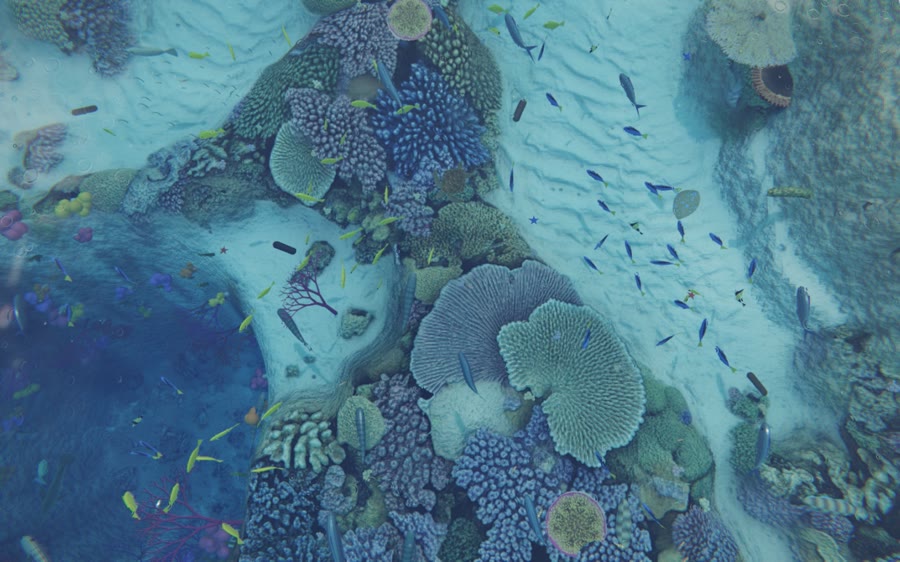
מדי פעםNow and then
מקלחת גשם שעוברת עם טבעות על המים, רוח שמקמטת את הפנים, או סתם יום מעונן.A passing shower with rings on the water, a breeze ruffling the surface, or just a cloudy day.
רגעים נדירים שקורים רק לפעמים, בלי שום הודעה. האפליקציה סופרת בתפריט את אלה שכבר ראיתם, ויש בה מצלמה אמיתית: ראיתם משהו? לוחצים על המצלמה שעל המים (או ⌃⌥L), זום, פוקוס, ומצלמים. כמה תספיקו לתפוס?Rare moments that happen only now and then, unannounced. The app keeps count in its menu of the ones you've seen, and it has a real camera: saw something? Click the camera on the water (or ⌃⌥L), zoom, focus, shoot. How many will you catch?
בכל שעהAny time
עצרו את העכבר מעל השושנה הסגולה שבאמצע, וחכו רגע.Hold the cursor still over the purple anemone in the middle, and wait.
ביום, פעם ב-15 עד 40 דקותBy day, every 15 to 40 minutes
צב עוצר מעל האלמוגים, וטנגים צהובים מנקים לו את השריון.A turtle stops over the coral while yellow tangs clean its shell.
ביום, פעם ב-25 עד 60 דקותBy day, every 25 to 60 minutes
להקה שלמה מתכנסת לכדור אחד, והטונות מקיפות אותה.A whole school packs into one ball, and the tuna circle it.
עם כריש הלווייתן, לפעמיםWith the whale shark, sometimes
ג׳קים שרוכבים על הגל שלפני הפה של כריש הלווייתן.Jacks riding the bow wave in front of the whale shark.
עם כריש הפטיש, לפעמיםWith the hammerhead, sometimes
הפטיש יורד אל טריגון קבור בחול, והטריגון בורח בענן חול.The hammerhead drops onto a ray buried in the sand, and it bolts in a cloud of sand.
ביום, כשהטריגון מתעוררBy day, when the ray wakes
ג׳קים שמלווים את הטריגון, מחכים למה שהוא יחשוף.Jacks shadowing the stingray, waiting for whatever it stirs up.
רק בלילהOnly at night
התמנון זוחל לעבר הלובסטר, וברגע האחרון הלובסטר מזנק אחורה.The octopus creeps up on the lobster, and at the last moment the lobster flicks away.
הכי נדיר שישThe rarest of all
אם כריש הלווייתן עובר בלילה, הפלנקטון נדלק סביבו בכחול.If the whale shark passes at night, the plankton lights up blue around it.
מי כבר תפס מה? יומן התצפיות ←Who caught what? The Sightings Log →
כל החיות וכל התנועות, בגלריה ←Every animal and every move, in the gallery →
כל פריים בסרט רונדר מהלגונה עצמה. בלי AI וידאו, בלי צילום.Every frame was rendered from the lagoon itself. No AI video, no camera.
שלוש דקות. פעם אחת.Three minutes. Once.
לוחצים על ההורדה, ופותחים את הקובץ Lagoon.dmg.Download, then open Lagoon.dmg.
בחלון שנפתח גוררים את האייקון של Lagoon על התיקייה Applications.In the window that opens, drag the Lagoon icon onto the Applications folder.
בפתיחה הראשונה יופיע ״Lagoon״ לא נפתח. זה בסדר: ככה זה עם אפליקציות חינמיות שלא נחתמו אצל אפל. לוחצים סיום (Done), נכנסים להגדרות המערכת ← פרטיות ואבטחה, גוללים למטה ולוחצים פתיחה בכל זאת (Open Anyway) ליד Lagoon. סיסמה או טביעת אצבע, עוד פעם פתיחה בכל זאת, וזהו. On first open, macOS says it couldn't verify the app. That's normal for free apps that aren't signed with Apple. Click Done, open System Settings → Privacy & Security, scroll down and click Open Anyway next to Lagoon. Confirm with your password, and you're in.
הלגונה עולה על שולחן העבודה, ודג קטן מופיע למעלה. דאבל קליק על המים מאכיל את הדגים, ומהתפריט עוצרים, בוחרים איכות, ומגדירים שהיא תיפתח עם המק.The lagoon fills your desktop and a small fish appears in the menu bar. Double-click the water to feed the fish; the menu pauses, picks quality, and sets it to open at login.
מתאים: כל מק עם macOS 13 ומעלה, עם Apple Silicon או Intel. מסך שני? מושלם, יש לגונה לכל מסך. פחות מתאים: Windows, אייפון ואייפד (אין), או אם החלונות שלכם תמיד על מסך מלא. For: any Mac on macOS 13 or later, Apple Silicon or Intel. A second screen is perfect: every screen gets its own lagoon. Not for: Windows, iPhone or iPad (no version), or if your windows are always full screen.
חינם, בלי חשבון ובלי פרסומות. חשמל: פתוחה מולכם 8 שעות ביום כשהמחשב בחשמל, היא עולה בערך 1.80 ₪ בחודש (כ-11.6W, לפי התעריף הביתי 63.52 אג׳ לקוט״ש). סוללה: עוברת לבד ל-Eco, בערך 7% לכל שעה שהיא גלויה. מכוסה בחלונות: נעצרת, כמעט 0. זיכרון: 1.1-1.6GB כשהיא גלויה. דיסק: 18MB להורדה, 22MB מותקנת. (נמדד על MacBook Pro M5.) Free, no account, no ads. Power: about 11.6W while visible; 8 hours a day on the charger is roughly 2.8 kWh a month. Battery: switches to Eco by itself, about 7% per visible hour. Covered by windows: it stops, almost zero. Memory: 1.1-1.6GB while visible. Disk: 18MB download, 22MB installed. (Measured on a MacBook Pro M5.)
אפל מבקשת 99 דולר בשנה כדי לחתום אפליקציות. Lagoon חינמית ועדיין לא חתומה, אז המק פשוט לא מכיר את מי שבנה אותה. האפליקציה לא אוספת כלום ולא מבקשת שום הרשאה, ומתחברת לאינטרנט רק אם בוחרים לשתף תצפית ביומן. הכל רץ אצלכם. Apple charges $99 a year to sign apps. Lagoon is free and not signed yet, so macOS simply doesn't know who made it. The app collects nothing, asks for no permissions, and only goes online if you choose to share a sighting to the log. Everything runs on your Mac.
בתפריט יש Quality: Eco (הכי קל), Balanced, Detail. על סוללה היא עוברת לבד ל-Eco. כשחלונות מכסים את המסך, או במצב חיסכון בסוללה, הלגונה עוצרת לגמרי. להסרה: דג בשורת התפריט ← Quit Lagoon, ואז גוררים את Lagoon מ-Applications לפח. The menu has Quality: Eco (lightest), Balanced, Detail. On battery it switches to Eco by itself. When windows cover the screen, or in Low Power Mode, the lagoon stops completely. To uninstall: menu bar fish → Quit Lagoon, then drag Lagoon from Applications to the Trash.
למי שמעדיף טרמינל, במקום שלב 3:Prefer the Terminal? Instead of step 3:
xattr -dr com.apple.quarantine /Applications/Lagoon.app && open /Applications/Lagoon.app